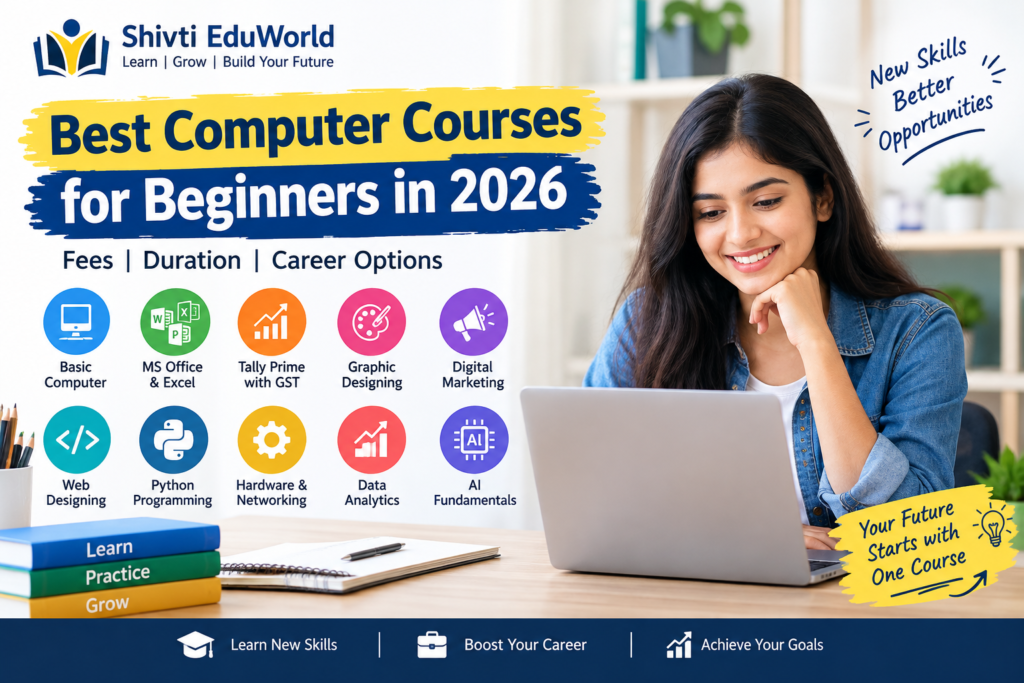
Want to learn computer skills but unsure which course to choose? Don’t worry! In 2026, many beginner-friendly computer courses can help you build useful skills and explore career opportunities. Let’s look at the best computer courses for beginners, their duration, and career options.
Best Computer Courses for Beginners in 2026
Computer Course
Duration
Best For
Basic Computer Course
1–3 months
Complete beginners
MS Office and Excel
1–3 months
Office and data entry jobs
Tally Prime with GST
2–6 months
Accounting and billing
Graphic Designing
2–6 months
Creative design work
Digital Marketing
2–6 months
Online marketing
Web Designing
3–6 months
Website creation
Python Programming
2–6 months
Beginners interested in coding
Hardware and Networking
3–6 months
Technical support
Data Analytics
Varies by course
Data analysis and reporting
AI Fundamentals
Weeks to months
Understanding artificial intelligence
Note: Course durations are approximate and may vary depending on the institute, syllabus, and time spent practising.
1. Basic Computer Course
If you are new to computers, a basic computer course is the best place to start. It teaches you essential skills for daily life, studies, and office work.
What Will You Learn?
Computer fundamentals
Keyboard and mouse operations
Windows and file management
Internet browsing
Email creation and use
Basic computer security
Course Duration: Usually 1–3 months.
Career Options: Computer operator and office assistant roles, depending on the employer’s requirements.
Who Should Choose This Course?
This course is ideal for students, job seekers, and beginners who want to learn basic computer skills before moving on to advanced courses.
2. MS Office and Advanced Excel Course
MS Office is a great choice if you want to work in an office. Many organisations use Word, Excel, and PowerPoint for everyday tasks, making these skills useful for students and job seekers.
What Will You Learn?
MS Word: Create letters, resumes, and reports.
MS Excel: Use formulas, organise data, and prepare spreadsheets.
PowerPoint: Create clear and professional presentations.
Office Skills: Format documents and manage records.
Course Duration: Usually 1–3 months, depending on the syllabus and practice.
Career Options: Office assistant, administrative assistant, and data entry operator.
Why Choose This Course?
MS Office skills are useful across many industries. Excel is especially helpful for managing records, preparing reports, organising data, and performing calculations. Learning these tools can help you prepare for various entry-level office jobs.
3. Tally Prime with GST
Are you interested in accounting, billing, or business? Tally Prime with GST is a useful computer course to consider. It helps you understand how businesses manage financial records, record transactions, and handle day-to-day accounting tasks.
What Will You Learn?
Basic accounting principles
Recording sales and purchase transactions
Managing payment and receipt entries
Creating and maintaining ledgers
Managing stock and inventory records
Recording GST-related transactions
Preparing basic accounting reports
Course Duration: Usually 2–6 months, depending on the syllabus, practical training, and learning pace.
Career Options: Accounts assistant, billing assistant, junior accountant, and other entry-level accounting roles, depending on your skills and the employer’s requirements.
Who Should Choose This Course?
This course is suitable for commerce students, job seekers, and beginners who want to learn accounting software. You do not need advanced computer knowledge to start, but understanding basic accounting concepts will make learning easier.
Why Is This Course Useful?
Many businesses need people who can maintain accounts, manage bills, and organise financial records. Learning Tally Prime along with basic accounting and GST concepts can help you prepare for entry-level accounting work.
4. Graphic Designing Course
Do you enjoy creating posters, banners, invitations, or social media posts? If you like creative work, a graphic designing course could be a great choice. It teaches you how to communicate ideas through images, colours, fonts, and layouts.
What Will You Learn?
Colour combinations and typography
Poster, banner, and invitation design
Social media posts and promotional graphics
Basic image editing techniques
Canva and Adobe Photoshop fundamentals
Design layouts and visual communication
Course Duration: Usually 2–6 months, depending on the course, software, and practical training.
Career Options: Junior graphic designer, design assistant, social media designer, and freelance designer, depending on your skills and portfolio.
Why Choose This Course?
Graphic designing allows you to turn creative ideas into visual content for businesses, brands, and individuals. You can practise by creating posters, advertisements, logos, and social media graphics.
Tip: Build a portfolio of your best designs while learning. A strong portfolio can help you demonstrate your skills to potential employers or clients.
Who Should Choose This Course?
This course is suitable for students, beginners, and creative individuals who want to learn design skills. You do not need advanced computer knowledge to start, but regular practice is important for improving your designs.
5. Digital Marketing Course
Digital marketing teaches you how to promote products, services, and businesses online. It includes search engines, social media, websites, and online advertising. If you want to build digital skills or work in online marketing, this course can be a good starting point.
What Will You Learn?
Search Engine Optimization (SEO): Learn how to improve a website’s visibility in search results.
Social Media Marketing: Understand how to promote content on social media platforms.
Content Marketing: Create useful content to attract and engage an audience.
Email Marketing: Learn the basics of sending promotional and informative emails.
Online Advertising: Understand the basics of paid digital campaigns.
Website Analytics: Learn how to measure website traffic and understand visitor behaviour.
Course Duration: Usually 2–6 months, depending on the syllabus and practical training.
Career Options: SEO trainee, digital marketing assistant, social media assistant, and content marketing assistant. Opportunities depend on your skills and experience.
Who Should Choose This Course?
This course is suitable for students, bloggers, job seekers, and people interested in online businesses. Basic computer knowledge and an interest in learning about the internet are helpful for beginners.
How Can Digital Marketing Help Bloggers?
If you run a website or blog, digital marketing can help you understand keyword research, search intent, SEO, website structure, and content planning. These skills can help you create useful articles and improve your website’s chances of reaching the right audience through search engines.
6. Web Designing Course
Do you want to learn how websites are created? A web designing course teaches you how to build attractive, user-friendly, and mobile-friendly websites. It is a good option for beginners interested in website creation and technology.
What Will You Learn?
HTML: Learn how to structure website content using headings, paragraphs, images, and links.
CSS: Understand how to style webpages with colours, fonts, spacing, and layouts.
Basic JavaScript: Learn how to add simple interactive features to websites.
Website Layouts: Create clean and organised webpage designs.
Responsive Design: Make websites work properly on mobile phones, tablets, and computers.
Website Publishing: Understand the basics of hosting and making a website available online.
Course Duration: Usually 3–6 months for foundational learning, depending on the syllabus and practice.
Career Options: Junior web designer, website assistant, and front-end development trainee. Opportunities depend on your practical skills and portfolio.
Why Choose This Course?
Web designing combines creativity with technical skills. You can start by creating a simple webpage and gradually learn to build complete websites with multiple pages and responsive layouts.
Who Should Choose This Course?
This course is suitable for students, beginners, bloggers, and anyone interested in website development. You do not need advanced coding knowledge to start learning HTML and CSS. Regular practice and small projects will help you improve your skills.
7. Python Programming Course
Python is a popular programming language known for its simple and readable syntax. It is a good choice for beginners who want to learn coding from scratch. Python is used in web development, automation, data analysis, and artificial intelligence.
What Will You Learn?
Variables and Data Types: Learn how to store and work with different types of information.
Conditions and Loops: Understand how to make decisions and repeat tasks in a program.
Functions: Learn how to organise code into reusable blocks.
Lists and Dictionaries: Store and manage collections of data.
Basic Problem-Solving: Develop logical thinking through coding exercises.
Small Projects: Apply your knowledge by building simple Python programs.
Course Duration: Usually 2–6 months for learning the basics, depending on the syllabus and regular practice.
Career Options: Programming internships, junior trainee positions, and entry-level opportunities may become available after developing the required programming skills and practical experience.
Who Should Choose This Course?
Python is suitable for students, beginners, and anyone interested in coding, software development, automation, or data-related fields. You do not need to know another programming language before starting.
Why Learn Python in 2026?
Python can be used for many different types of projects, from simple calculators to data analysis tools. Start with the basics, practise regularly, and build small projects to improve your understanding. A strong foundation will make it easier to explore advanced programming topics later.
8. Computer Hardware and Networking
Do you want to understand how computers work and how technical problems are solved? A computer hardware and networking course teaches you about computer components, basic maintenance, troubleshooting, and network connections. It can be a good choice if you are interested in technical support and IT.
What Will You Learn?
Computer Hardware: Understand the main components of a computer and their functions.
RAM and Storage: Learn about memory, hard drives, and SSDs.
Operating System Installation: Understand the basics of installing and setting up an operating system.
Basic Troubleshooting: Learn how to identify and solve common computer problems.
Printer Setup: Understand how to connect and configure printers.
Networking Fundamentals: Learn the basics of routers, network cables, Wi-Fi, and internet connections.
Course Duration: Usually 3–6 months, depending on the syllabus and practical training.
Career Options: Hardware assistant, computer support trainee, and junior IT support roles. Job opportunities depend on your technical skills, experience, and the employer’s requirements.
Why Is Practical Training Important?
Computer hardware and networking are practical skills. Working with computer components, setting up devices, and solving common technical issues can help you understand the concepts more clearly than theory alone.
Who Should Choose This Course?
This course is suitable for students, beginners, and anyone interested in computer maintenance, networking, or IT support. Basic computer knowledge is helpful, but you can learn the technical concepts step by step through proper training and practice.
9. Data Analytics Course
Data analytics is the process of collecting, organising, and studying data to find useful information and patterns. Businesses use data analytics to understand performance, solve problems, and make better decisions. If you enjoy working with numbers and information, this course may be a good option.
What Will You Learn?
Excel for Data Analysis: Organise data, use formulas, and create reports.
Data Cleaning: Identify and correct errors or inconsistencies in datasets.
Charts and Visualisation: Present information through charts, graphs, and dashboards.
Basic Statistics: Understand averages, percentages, and other basic statistical concepts.
SQL Fundamentals: Learn how to retrieve and manage data from databases, depending on the course.
Data Analysis Tools: Get introduced to additional tools such as Power BI or Python, depending on the syllabus.
Course Duration: Varies according to the syllabus, learning level, and time spent practising.
Career Options: Data analyst internships, junior reporting roles, and entry-level analytics positions may be possible after developing the required skills and practical experience.
Who Should Choose This Course?
This course is suitable for students, graduates, and beginners who enjoy working with data, numbers, and problem-solving. Basic computer knowledge and an interest in logical thinking can help you get started.
How Should Beginners Get Started?
If you are new to data analytics, start with Microsoft Excel. Learn basic formulas, sorting, filtering, and charts before moving on to tools such as SQL or Power BI. Practising with small datasets and creating simple reports will help you build confidence step by step.
10. Artificial Intelligence Fundamentals
Artificial Intelligence (AI) is becoming an important part of education, business, healthcare, and technology. AI tools can help people write content, analyse information, solve problems, and complete everyday tasks. A beginner-friendly AI course helps you understand how these tools work and how to use them responsibly.
What Will You Learn?
Introduction to AI: Understand what artificial intelligence is and how it works at a basic level.
AI Tools: Explore common AI tools used for writing, learning, research, and productivity.
Machine Learning Basics: Learn how computers can identify patterns in data.
Responsible Use of AI: Understand privacy, accuracy, bias, and the importance of checking AI-generated information.
Practical Applications: Explore how AI is used in education, business, and everyday activities.
AI Limitations: Learn why AI tools can make mistakes and why human judgement remains important.
Course Duration: A few weeks to several months, depending on the course content and learning level.
Career Options: An introductory AI course can help you prepare for further learning in technology-related fields. However, technical AI roles generally require additional knowledge of programming, mathematics, data analysis, and machine learning.
Who Should Choose This Course?
This course is suitable for students, beginners, teachers, and professionals who want to understand artificial intelligence. You can start with basic concepts and explore AI tools without having advanced programming knowledge.
Why Learn AI Fundamentals in 2026?
Understanding AI can help you use modern digital tools more effectively in your studies and work. Start by learning basic concepts, practising with simple AI tools, and checking the accuracy of their results. If you later become interested in a technical career, you can move on to programming and machine learning.
Which Computer Course Is Best for You?
The best computer course depends on your interests, current skills, and career goals. If you are confused about where to start, the following table will help you choose a course that matches your needs.
Your Goal
Recommended Computer Course
Learn computers from scratch
Basic Computer Course
Prepare for office jobs
MS Office and Advanced Excel
Work in accounting
Tally Prime with GST
Create posters and graphics
Graphic Designing
Promote websites and businesses
Digital Marketing
Create websites
Web Designing
Learn programming
Python Programming
Repair computers and solve technical problems
Computer Hardware and Networking
Analyse data and prepare reports
Data Analytics
Explore artificial intelligence
AI Fundamentals
How to Make the Right Choice
You do not need to learn every computer skill at once. Start with one course that matches your interests and career goals. Practise regularly, work on small projects, and gradually build your skills.
Tip: Before enrolling, compare the course syllabus, practical training, fees, and certificate details. Choose a course that offers useful hands-on experience rather than focusing only on theory.
Can You Learn Computer Courses for Free?
Yes, you can start learning computer skills through free online resources. These platforms can help you learn new skills at your own pace.
Here are two places to explore:
NIELIT Virtual Academy:
Offers computer-related learning resources, including material for the Course on Computer Concepts (CCC).
Visit the
official NIELIT learning portal
.
Microsoft Learn:
Provides learning resources for Microsoft products and technology.
Visit
Microsoft Learn
.
Tips for Choosing the Right Computer Course
Before enrolling in a computer course, consider your goals, budget, and learning needs. These simple tips can help you make a better decision.
Decide Your Goal: Identify whether you want basic computer knowledge, office skills, creative training, or technical skills.
Check the Syllabus: Review the course content to ensure it covers the skills you want to learn.
Choose Practical Training: Look for courses that include hands-on exercises, assignments, and real-world projects.
Compare Course Fees: Check the total cost, learning materials, certificate charges, and other fees before enrolling.
Practise Regularly: Set aside 30–60 minutes a day for focused practice to build your skills consistently.
Build a Portfolio: If you choose graphic designing, coding, or digital marketing, create sample projects to demonstrate your abilities.
Remember: The best course is one that matches your interests and gives you opportunities to practise what you learn.
Frequently Asked Questions (FAQs)
Which computer course is best for beginners in 2026?
Basic Computer, MS Office, Advanced Excel, and Digital Marketing are good options for beginners. Choose a course based on your interests and career goals.
Which computer course is best for getting a job?
Advanced Excel, Tally Prime with GST, Digital Marketing, Web Designing, and Data Analytics can help you develop job-related skills.
Can I learn computer courses without prior knowledge?
Yes, beginners can start with a Basic Computer Course and gradually learn advanced computer skills.
How long does it take to learn a computer course?
Basic courses may take a few weeks, while advanced courses can take several months, depending on the syllabus and your learning pace.
Can I learn computer courses online for free?
Yes, you can learn computer skills through free online learning platforms, tutorials, and educational resources.
Which computer course is best after Class 12?
MS Office, Advanced Excel, Tally Prime with GST, Graphic Designing, and Digital Marketing are options to consider after Class 12.
Can computer courses help me earn money online?
Skills such as Graphic Designing, Web Designing, and Digital Marketing may help you explore freelancing and online work opportunities.
How do I choose the right computer course?
Consider your interests, career goals, course syllabus, practical training, fees, and available job opportunities before choosing a course.